Less tool-hopping. More systems that work.
We turn everyday tasks into practical AI workflows you can understand, build and use. Each system starts with a clear outcome, connects the tools needed to achieve it, and shows you how the process works from beginning to end.
Start with a clear goal.
Only the tools you need.
Use it, adapt it, grow it.
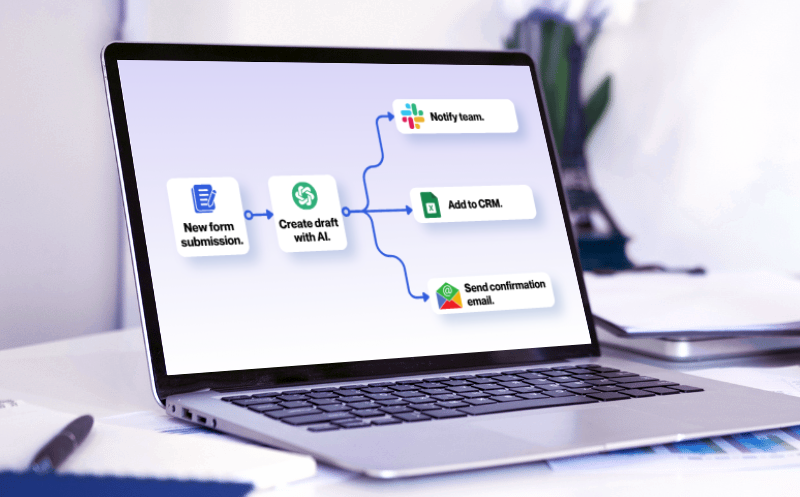
Every useful system starts with a simple flow.
A practical AI system connects a starting event to a series of actions and produces an output you can use.
TRIGGER
What starts the workflow?
A new inquiry, form submission, email, scheduled event or anything that creates a task.
Example: New form submission
PROCESS
What happens automatically?
The system follows a defined series of steps using the right tools and AI actions.
Example: Categorize, create draft, add to CRM
OUTPUT
What do you get?
A useful result you can review, use or share—saving time and manual work.
Example: Draft saved for review
Designed to be understood. Built to be tested.
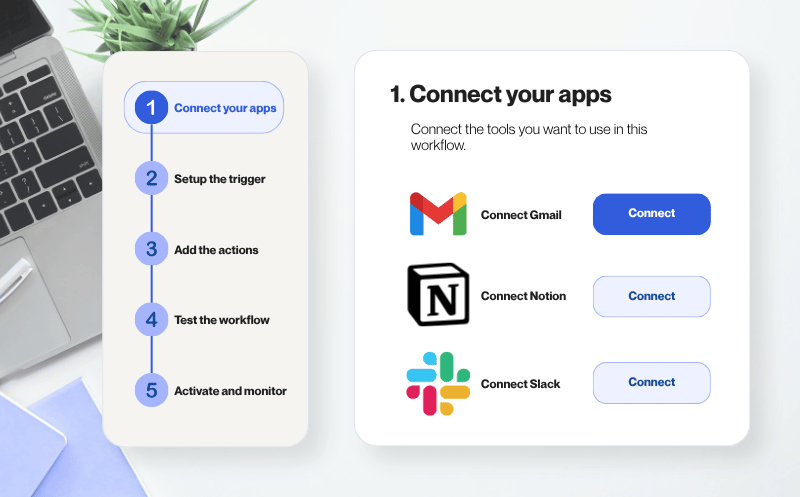
We follow a clear step-by-step process to create each system, so you can see how it works and feel confident using it.
Define the outcome
Identify the task and what a successful result should look like.
Design the workflow
Choose the tools and map the steps.
Build and test
Connect the components, run the workflow and check the output.
Document and improve
Explain the setup, identify limitations and refine the process where needed.
Not just instructions.
Something you can actually use.
Each system is designed to help you move from understanding a workflow to putting it into practice—with clear instructions, reusable materials, and examples you can adapt.
Clear workflow diagram
See the complete flow at a glance, including the tools, connections, and steps.
Step-by-step instructions
Follow practical setup guidance, with screenshots where helpful.
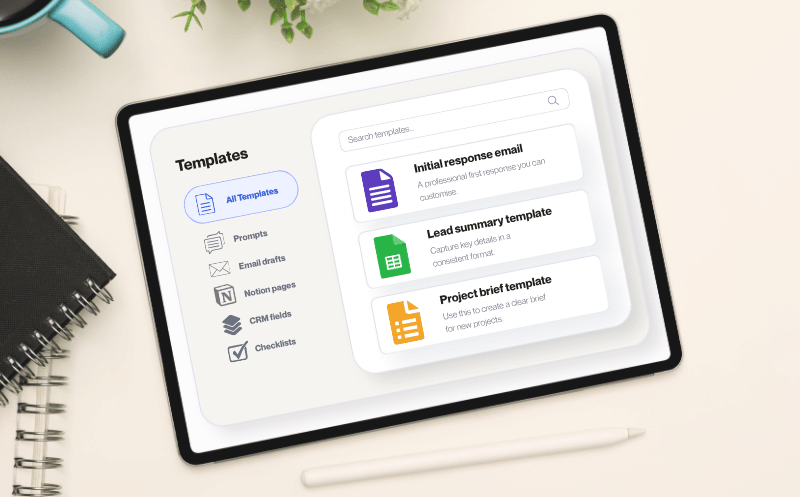
Copyable templates
Use ready-made prompts, templates, and configurations where applicable.
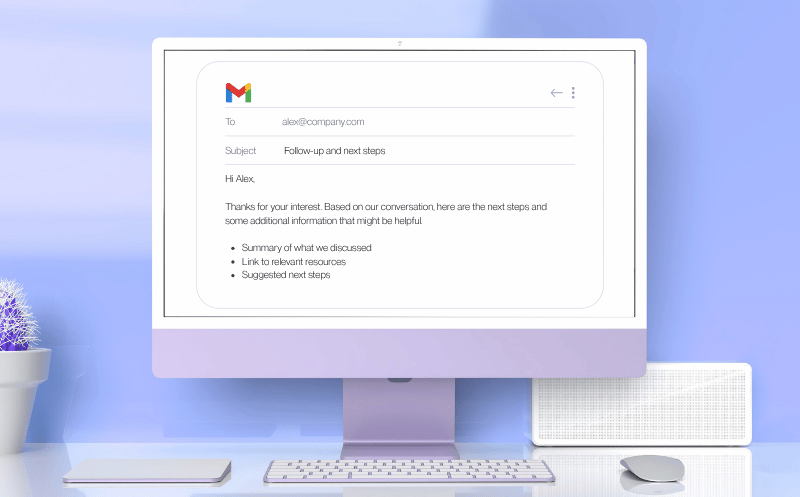
Real examples
See what the workflow produces and how you can adapt the result.
You don’t need unlimited time to start building.
Whether you’re working full-time, running a small business or building something after hours, our approach prioritizes manageable steps, practical tools and clear outcomes.
Start small
Begin with one manageable workflow.
Build around your schedule
Choose systems that fit the time you have.
Improve as you go
Refine and expand your workflow as your needs evolve.
Common questions, straight answers.
Everything you need to know before building your first AI system.
Setup time depends on the workflow, the tools involved, and your familiarity with them. Some systems are relatively simple, while others require more configuration and testing.
Where available, we provide a setup-time estimate to help you plan. These estimates are guides rather than guarantees, as your individual setup may take longer.
Many workflows can be adapted to suit your tools, processes, and goals.
Depending on the system, this might involve changing a trigger, adjusting an AI prompt, modifying an action, or choosing where the output is saved.
The available customization options depend on the workflow and the tools it uses. We aim to make the underlying process understandable so you can identify which parts may be adapted.
That depends on the system.
Some workflows can run automatically when a defined event occurs, such as receiving a form submission or adding a new record. Others require a manual trigger, review, or approval.
Even automated workflows may need occasional monitoring, maintenance, or adjustments. We explain how each workflow is intended to operate so you know what happens automatically and where your involvement is required.
Each system has its own tool requirements.
Some workflows may work with free plans, while others may require paid features, subscriptions, or usage-based services.
We aim to identify the tools needed for each system so you can review the requirements and potential costs before getting started. Any third-party subscription or usage charges are separate from the cost of an AI! MY CIRCUITS product unless explicitly stated otherwise.
AI tools and automation platforms evolve, so interfaces, features, pricing, and integrations may change over time.
These changes can sometimes require you to adjust a workflow, reconnect an account, or modify a configuration.
Our instructions are designed to explain how a system works, not simply which buttons to click. This helps you understand the workflow when changes occur.
However, compatibility with future third-party updates cannot be guaranteed. Any product-specific updates or ongoing support will be described separately where offered.
Build your first AI system after work.
Get the free step-by-step guide with three practical AI workflows you can build using simple tools — no coding required.
Curious how our systems work? See How It Works →